Reports
The Reports view is a pivot table of logged time across a date range, grouped two levels deep, with filters and CSV export. It's available to everyone.
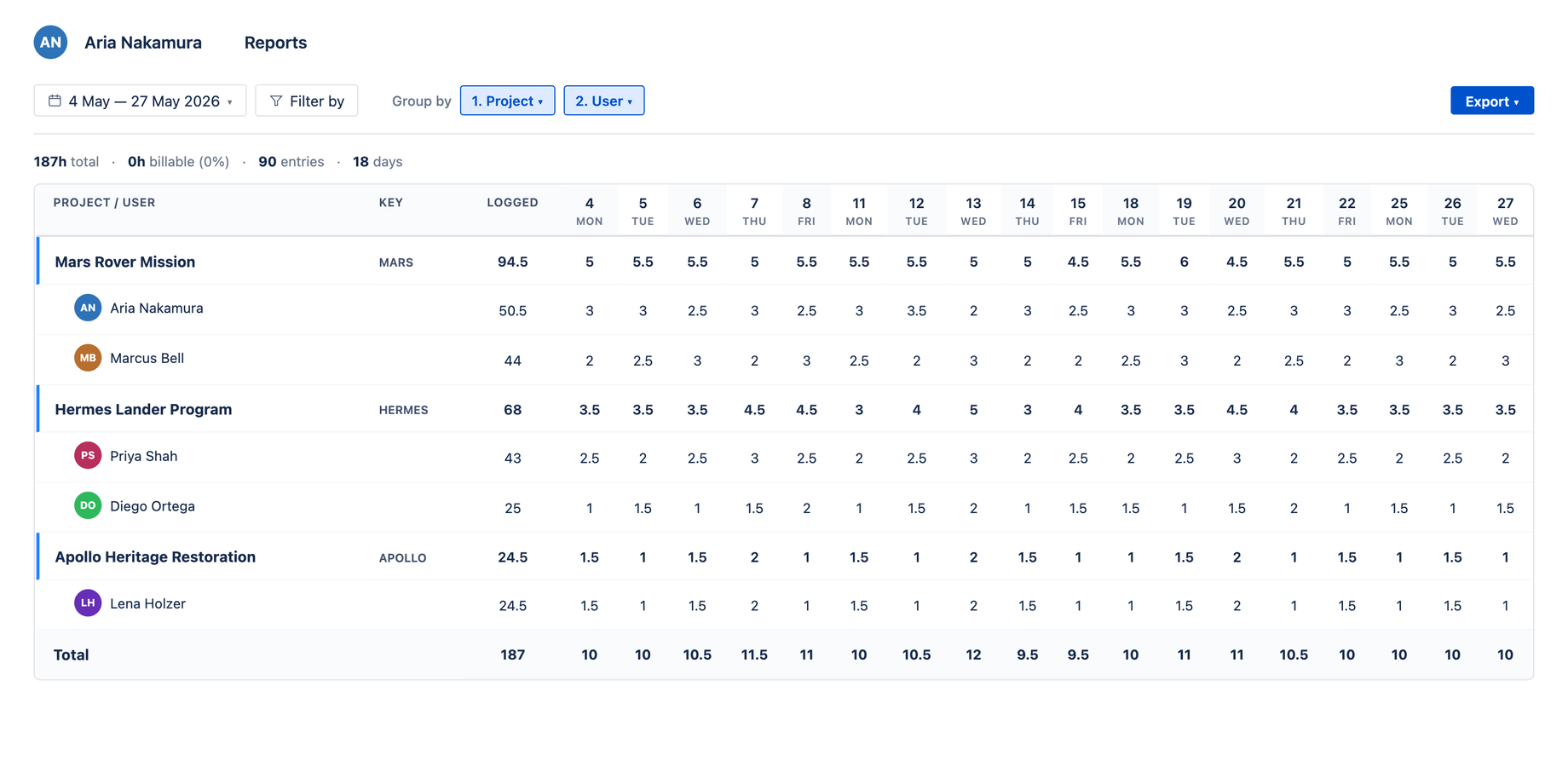
Reports runs as you — it includes the issues and worklogs you can already see in Jira. Someone with broad project access (or an admin) sees the whole team's time; a user with narrower access sees their slice. The Advanced JQL scope is bounded the same way. For a guaranteed cross-team view at billing time, use Billing review (reviewer-gated).
Grouping
Reports pivots on two levels — for example 1. Project then 2. User. Use the Group by chips to change either level; choosing the same category for both slots auto-swaps them so you never get a duplicate grouping. Grouped rows show the parent (e.g. a project, with an accent border) and its aggregated sub-rows, with per-day columns across the chosen date range.
Filtering
Open Filter by to narrow the data. Filters are categorized:
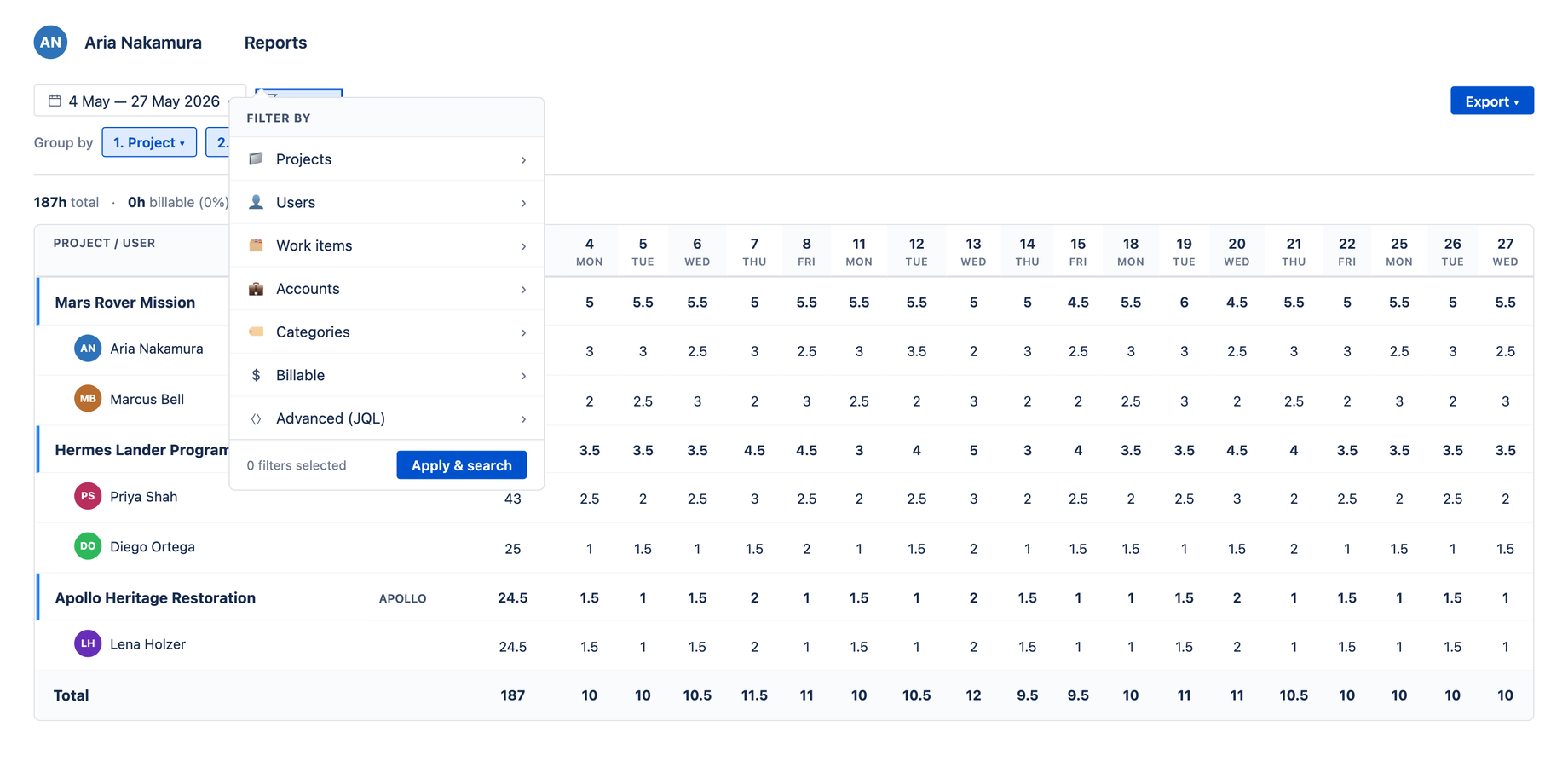
| Filter | Scopes the report to… |
|---|---|
| Projects | Specific Jira projects |
| Users | Specific people |
| Work items | Specific issues |
| Accounts | Specific accounts |
| Categories | Specific categories |
| Billable | Billable vs non-billable worklogs |
| Advanced JQL | Any set of issues defined by a JQL query |
The footer shows how many filters are active, with Clear all and Apply & search to get in and out of the filter state cleanly.
The status line
Above the table, a status line summarizes the current view — for example 57h 45m total · 0h billable (0%) · 25 entries · 8 days — so you see the totals and the billable ratio at a glance.
Exporting
The Export button produces:
- Pivot CSV — the grouped table as shown
- Raw CSV — one row per worklog
Both are ready to hand to finance. For the approval-state view used at billing time, see Billing review.
Advanced: query worklogs with JQL
The Advanced JQL filter accepts any JQL, including the functions added by Argon. Argon's worklog() function lets you select issues by worklog author, date range, or time spent — useful when you want to drive an Aevon report from a precise worklog-level query rather than the built-in filters.
issue in worklog("project = MARS", "currentUser()", "2026/05/01", "2026/05/31")