Billing review
Timesheets review is a view for reviewers and admins, built for the billing close. It joins worklogs with their period approval status, so for any date range you can see what's ready to bill, what's still pending, what was rejected, and who hasn't submitted.
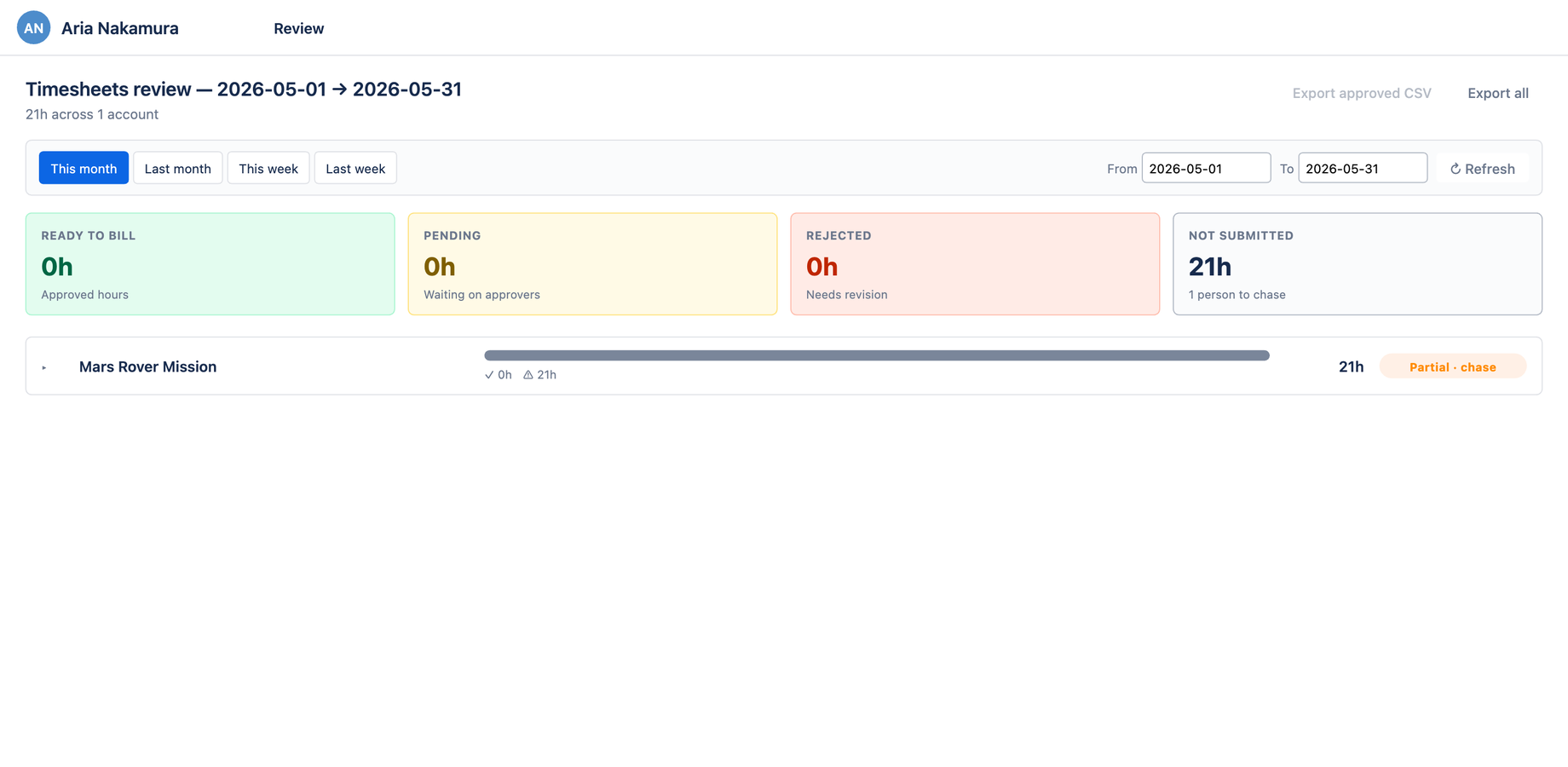
The four-tile summary
The summary row answers "where do we stand?" at a glance:
| Tile | Meaning | Color |
|---|---|---|
| Ready to bill | Hours in approved weeks | Green |
| Pending | Hours in submitted-but-not-yet-approved weeks | Yellow |
| Rejected | Hours in weeks an approver rejected | Red |
| Not submitted | Logged hours still sitting in draft | Gray |
Color and label are both shown, so the state is clear without relying on color alone.
Date range
Pick the period to review with the date-range control. Presets cover the common cadences:
- This month / Last month — for the monthly close
- This week / Last week — for a weekly check-in
- Custom — any From/To range
The title reflects the active range (e.g. Timesheets review — 2026-04-01 → 2026-04-30), and the subtitle reflects the data state (e.g. No worklogs in this period.).
Exporting for finance
Two exports feed the invoicing or audit handoff:
- Export approved CSV — only the locked, ready-to-bill hours
- Export all — every worklog in the range, regardless of state
Both buttons are disabled when there's nothing to export, so you never download an empty file.
Who can see it
Billing review requires the Reviewer role; Aevon and Jira site admins have it automatically. To grant it to others, give them the Aevon Reviewer permission in Jira → System → Global permissions. See Permissions. Note this is distinct from the Account administrator role, which manages accounts but does not, on its own, open the billing review.
Set the range to Last month, check the Ready to bill tile for the approved total, chase anything still in Pending or Not submitted, then Export approved CSV for invoicing.