Submitting timesheets
When your week is complete, you submit it for approval. Aevon splits the week into one approval request per account and routes each to the right approver.
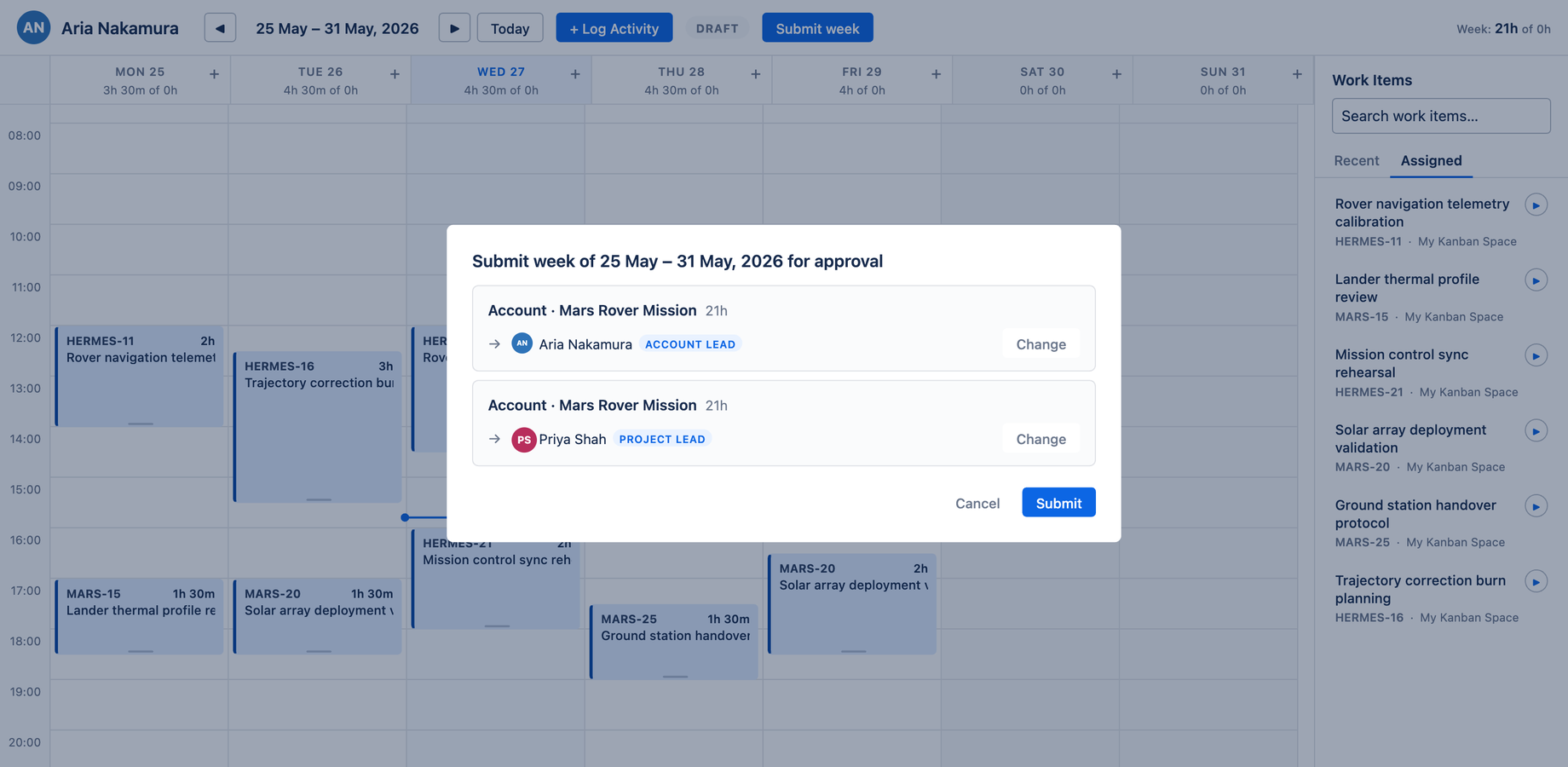
How the split works
On submit, Aevon groups the week's worklogs:
- Worklogs logged against an account are grouped by account, and each group routes to that account's default approver
- Worklogs logged against a project with no account are grouped by project, and route to the last approver used for that project, then the project lead
So a person logging time across three accounts owned by three different finance leads will, by default, send each lead only the worklogs they're responsible for — in one click. This is the default behavior, not a special case.
Submitting
- Click Submit week in the calendar header
- Review the approval groups in the dialog — each shows the account (or project), the hours, and the auto-selected approver
- (Optional) Click Change next to any group to pick a different approver
- (Optional) Add a comment
- Click Submit
The week's status becomes Submitted, and each approver finds their group in their Approvals inbox.
Once you submit a week, all of its worklogs are locked from your edits — your hours can't shift under a pending review. To change something, recall the week (while no approver has acted) or ask an approver to reject it. Either returns the week to Draft so you can edit.
Tracking your submission
Open Approvals → My submissions to see each week you've submitted, its overall status, and a chip per approver showing whether they've approved, rejected, or not yet acted. See Approval statuses for what each chip means.
Recalling a submission
The Recall button puts a submitted week back into Draft — as long as no approver has decided yet. It's the safety net for when you spot a mistake right after hitting submit. Recall is a recoverable action (you can submit again), so it's styled as plain text, not a destructive red.
Once any approver has approved or rejected, recall is no longer available for that week; an approver must reject it to send it back to draft.