Account routing
Routing decides which account a worklog belongs to without making people pick one by hand. Configure it under Accounts → Account routing.
The precedence waterfall
Aevon resolves a worklog's account in this order:
1. Account custom field on the issue   (highest priority)
2. The project's default account
3. No account
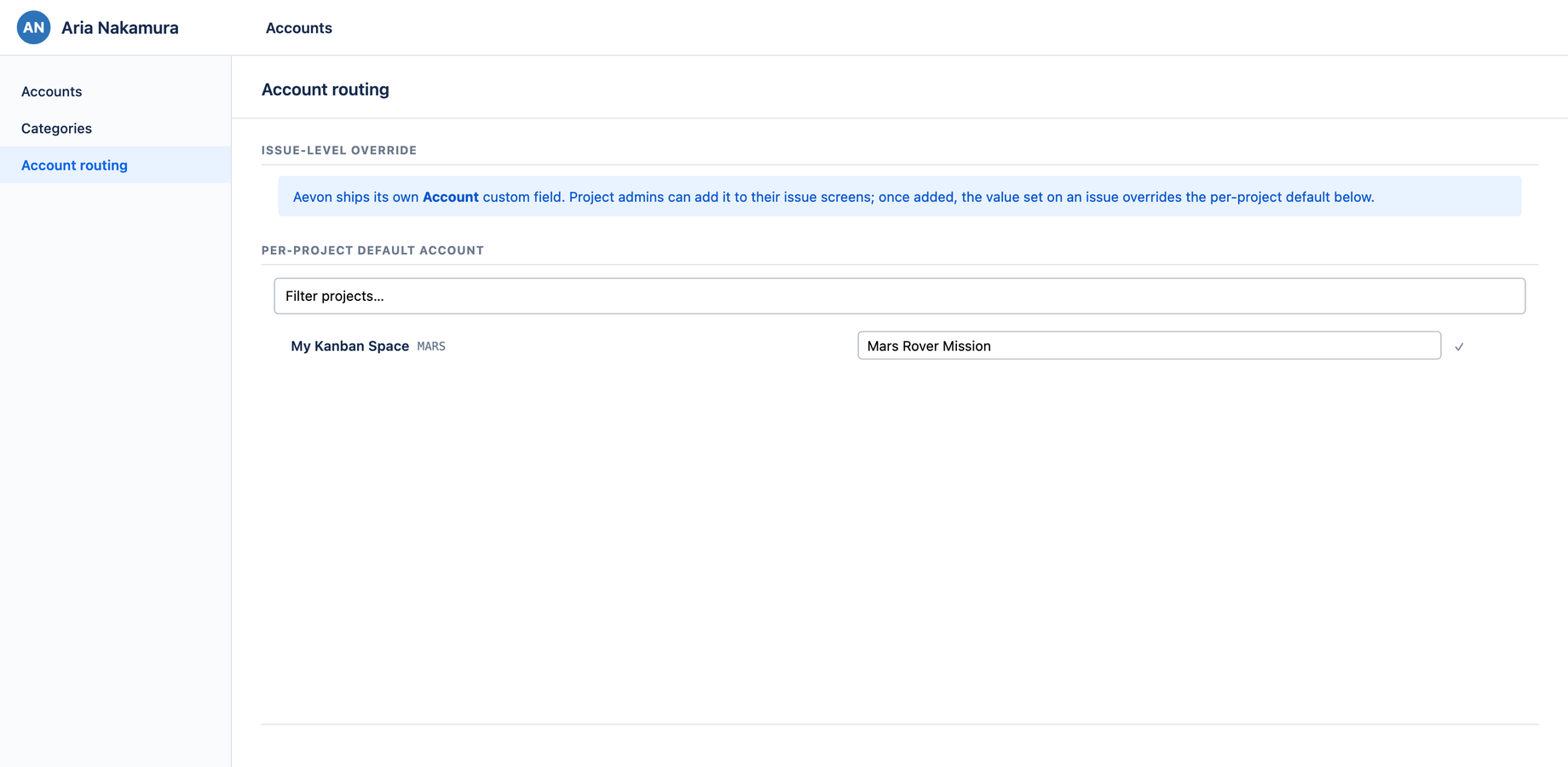
A per-issue Account custom field value always wins; otherwise the project's default applies; otherwise the worklog has no account. The routing page surfaces this with a blue issue-level override banner so admins know the per-issue field beats the project default.
Setting a project default
The page lists every project you can access, each with:
- The project's icon and name (for fast scanning)
- A dropdown to pick its default account
- A green checkmark once a default is saved
- — none — when no default is set
Use the Filter projects… search box at the top if your site has many projects. Changes save as you make them.
When to use which
- Project default — most of a project's work bills to the same account. Set it once here.
- Per-issue override — a handful of issues in that project bill elsewhere. Set the Account custom field on those issues.
Who can manage routing
Routing requires the admin or account administrator role. See Permissions.