Custom attributes
Custom attributes are extra fields you attach to every worklog — beyond issue, time, and description — to capture whatever your team needs. Define them under Settings → Custom attributes. Settings is admin-only.
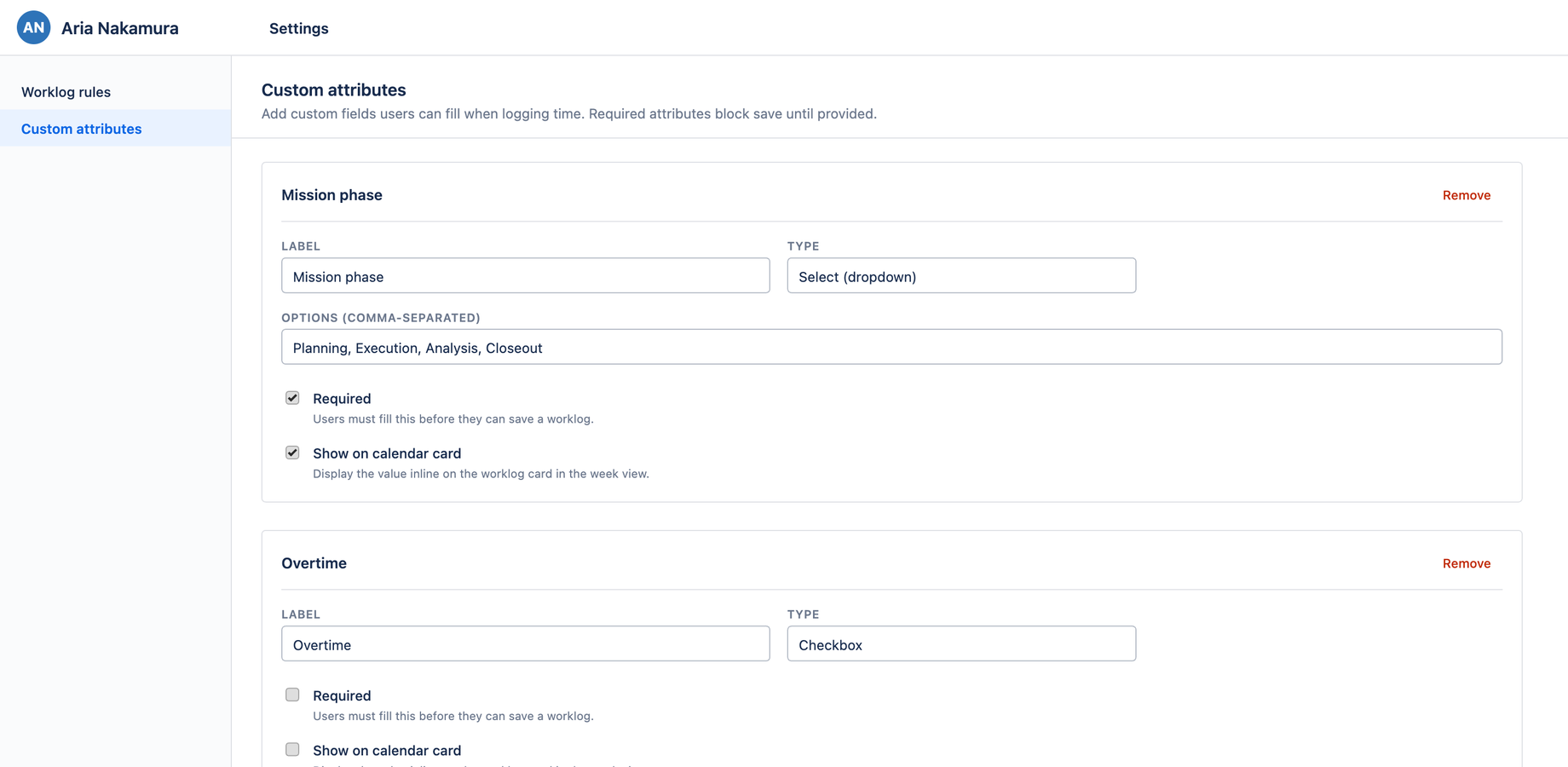
Field types
An attribute can be one of five types:
| Type | Captures |
|---|---|
| Text | A free-text value |
| Number | A numeric value |
| Select | One option from a list you define |
| Checkbox | A yes/no flag |
| Date | A calendar date |
Defining an attribute
Each attribute is a card in the editor with:
- A label (the card header mirrors it as you type)
- A type selector
- Required — when on, a worklog can't be saved without a value
- Show on calendar card — when on, the value appears as a chip on the worklog's card
Click + Add attribute to create one (it scrolls into view and is marked NEW until first saved), and Remove to delete one. Changes autosave.
Where attributes appear
Defined attributes show up in the Additional properties section of the Log Work dialog. Required ones are enforced on save; show on card ones render on the calendar. They also flow through to Reports and CSV export.