Work Items sidebar
The Work Items sidebar is the right rail on the calendar. It surfaces the issues you're most likely to log against, with two tabs and a search box.
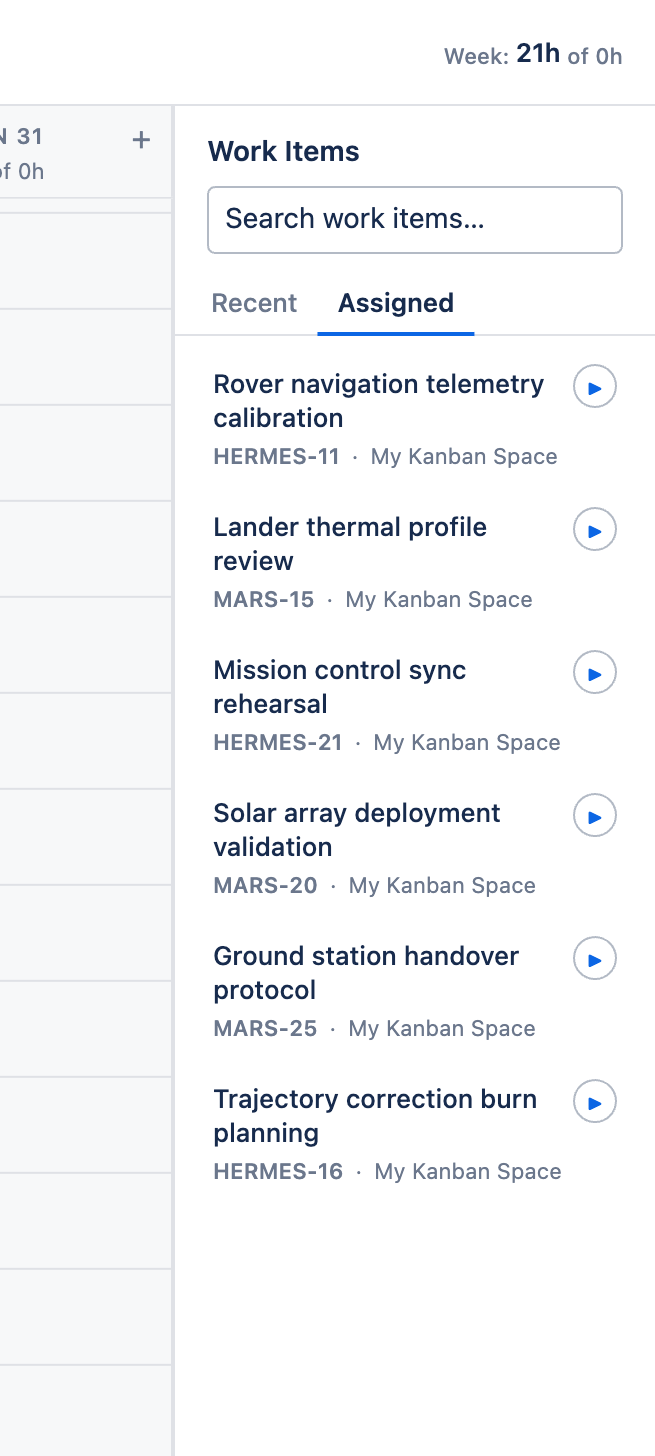
Tabs
- Recent — issues you've recently logged time against (up to five), each showing summary, key, and project name
- Assigned — issues currently assigned to you
When the Recent tab is empty — for example for a brand-new user — Aevon switches you to Assigned so there's always something to act on rather than an empty list.
Search
The search box filters work items so you can find any issue to log against, not just the recent or assigned ones.
Logging from the sidebar
Each row is interactive in two ways:
- Play button (▶) — starts a timer for that issue
- Drag the row onto a calendar slot — opens the Log Work dialog with the issue pre-selected and the time pre-filled (see Drag, drop & resize)
tip
The drag-to-log shortcut is the fastest way to log a planned block of time: grab the assigned issue, drop it on the slot, adjust the duration, done.