Drag, drop & resize
The calendar supports three direct-manipulation gestures, so most edits never need the dialog.
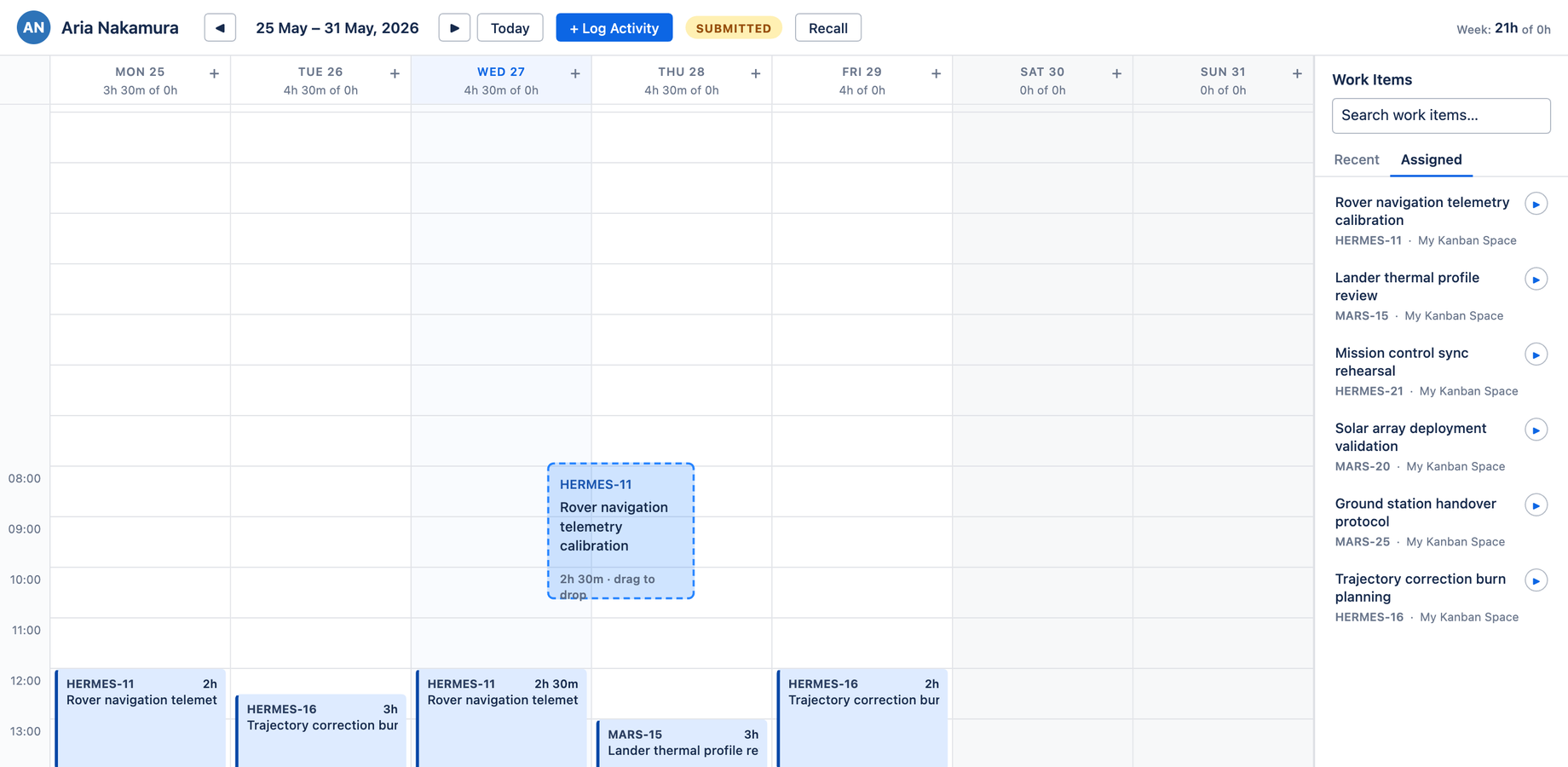
Move a worklog
Drag an existing card to a new day or time:
- A dashed ghost preview with an HH:MM label shows exactly where the card will land before you drop it
- The destination snaps to a 30-minute grid
- Your grab offset is preserved — if you grab the middle of the card, it lands offset from the cursor by the same amount, the way Outlook and Google Calendar behave
Create by dragging from the sidebar
Drag an issue from the Work Items sidebar onto any slot. The Log Work dialog opens with the issue pre-selected and the date and time pre-filled to where you dropped it. It uses the same ghost preview as a move, so the feedback is consistent.
Resize the duration
Each card has a thin resize handle along its bottom edge (revealed on hover). Drag it to change the duration:
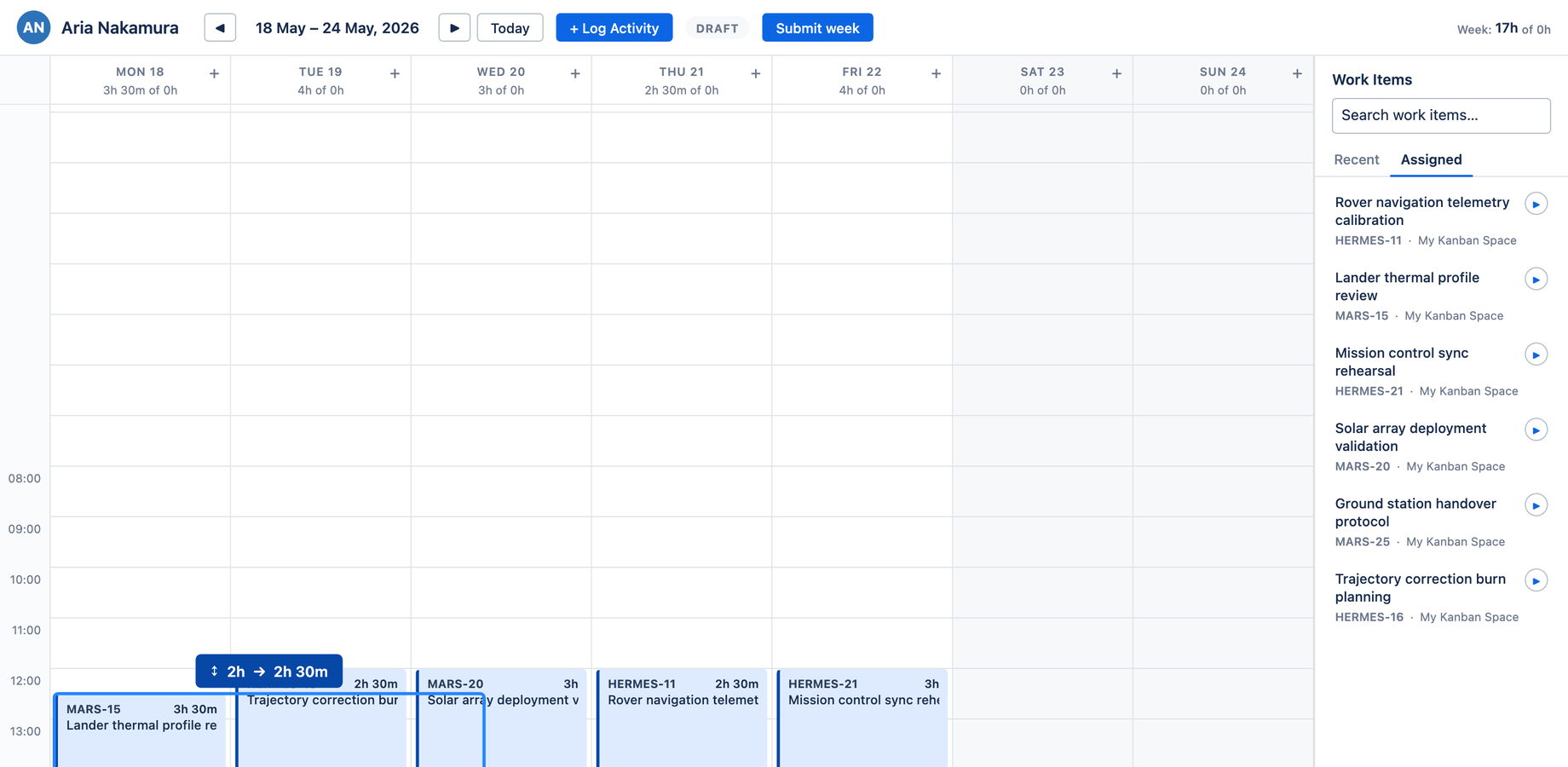
- The new duration snaps to the nearest 15 minutes
- It commits on release — no confirmation step
- A click immediately after a resize won't accidentally open the edit dialog
When a write fails
If the underlying Jira worklog write is rejected — for example a locked (approved) week, a worklog rule violation, or a Jira permission issue — Aevon surfaces a clear error banner rather than silently dropping the change.