Issue panel
The Aevon Timesheets panel renders inline on every Jira issue, so you can log and review time against an issue without leaving it.
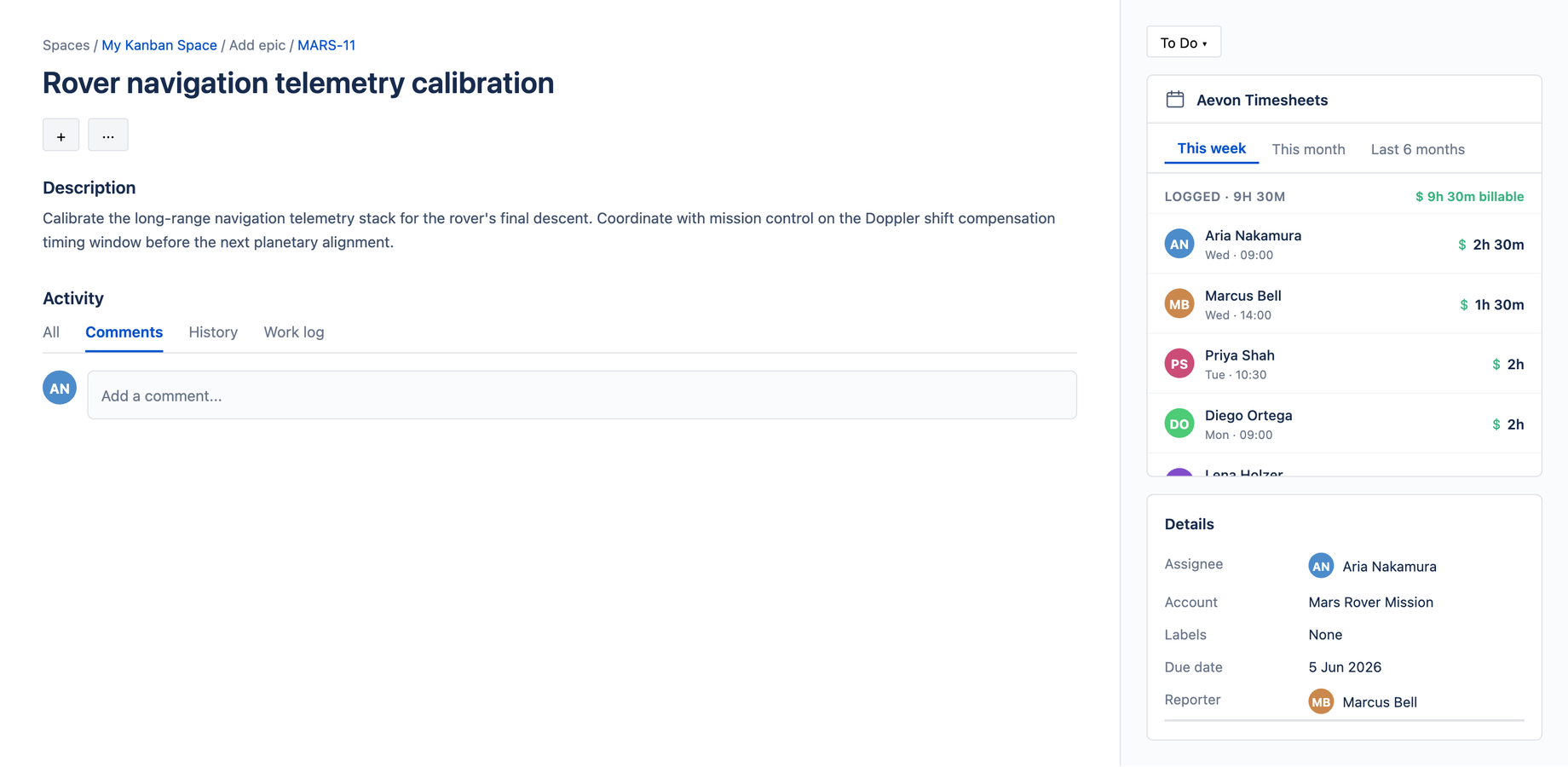
What it shows
The panel is a compact, vertically-stacked list of the worklogs logged against this issue, each row showing the duration, date, and author. It's a focused view — the calendar shows your whole week; the panel shows just this issue.
Logging from the panel
Click + Log work to open the Log Work dialog. It's the same dialog used on the calendar, rendered in a compact layout for the issue surface — so the fields, keyboard shortcuts, and behavior are identical. Any improvement or fix to the dialog applies here automatically.
Visibility
The panel appears for anyone who can view the issue. It uses Aevon's standard permission model, so what a user can do from the panel matches what they can do on the calendar.
Jira often shows onboarding overlays (Rovo, Quickstart) on issue pages. When capturing the panel for a deck, dismiss those overlays first so the panel is unobstructed.